
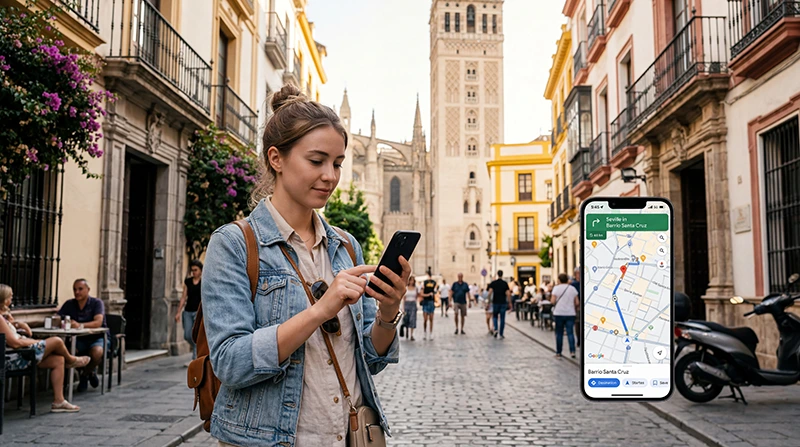

Traveler using Google Maps with eSIM mobile internet in Spain

Google Maps in Spain: Mobile Data, Offline Maps & Travel Tips

Google Maps is one of the most useful apps for traveling around Spain. Whether you’re walking through Barcelona, navigating Madrid by metro, driving across Andalusia or trying to find your hotel on the Costa del Sol, reliable mobile internet makes navigation much easier.

Google Maps works throughout Spain, but many of the features travelers rely on most require an active internet connection. Live traffic, route changes, restaurant searches, public transport information, opening hours and nearby attractions all depend on mobile data.

Hotel and café WiFi can help while you’re indoors, but once you start sightseeing, driving or moving between cities, mobile data becomes essential. A Spain travel eSIM is one of the easiest ways to stay connected because it provides mobile internet without replacing your regular SIM card.

Quick answer: Google Maps works normally in Spain. Offline maps are useful as a backup, but mobile data gives you live traffic, transport updates, route changes and current location information. A Spain eSIM lets you keep Google Maps connected throughout your trip while keeping your regular SIM active.

Top Spain eSIMs

Why a Spain eSIM Makes Google Maps More Useful

Google Maps itself does not require an eSIM, but it does require mobile internet for many live features. A travel eSIM gives you that connection without relying on hotel WiFi or international roaming.

With a Spain eSIM, you can use mobile data for:

  • Google Maps navigation.
  • Live traffic updates.
  • Public transport information.
  • Restaurant and attraction searches.
  • Ride-hailing apps.
  • WhatsApp and messaging.
  • Hotel bookings.
  • Travel confirmations.

For most tourists, this is the simplest way to stay connected throughout the day while keeping the primary SIM available for calls and SMS.

Does Google Maps Work in Spain?

Yes. Google Maps works throughout Spain on both iPhone and Android.

You can use it for:

  • Driving navigation.
  • Walking directions.
  • Metro and bus routes.
  • Train station locations.
  • Hotel directions.
  • Restaurant and café searches.
  • Parking locations.
  • Fuel and EV charging stations.
  • Attraction locations and opening hours.
  • Offline maps.

The app is especially useful in large cities and during road trips, but it becomes significantly more effective when your phone has reliable mobile data.

Why Mobile Internet Matters for Google Maps in Spain

Google Maps constantly updates information while you travel. Without mobile internet, many of its most useful features become unavailable.

Google Maps Feature Mobile Internet Needed?
Live driving navigation Recommended
Live traffic Yes
Alternative routes Yes
Restaurant searches Yes
Opening hours and reviews Yes
Public transport updates Yes
Downloaded offline maps No

Offline maps are useful as a backup, but they cannot fully replace a live mobile data connection.

Best Ways to Get Mobile Internet for Google Maps in Spain

Option Convenience Best For
Spain travel eSIM Excellent Most tourists
Local SIM card Good Longer stays
International roaming Very convenient Travelers with included roaming
Hotel or café WiFi Limited while moving Indoor use only

Why Many Travelers Choose NoveSIM in Spain

A NoveSIM Spain eSIM allows you to prepare your mobile internet before traveling.

Instead of searching for a SIM card shop after landing, you can install the eSIM before departure and use it for mobile data once you’re in Spain.

  • No physical SIM card swap.
  • Install before departure.
  • Keep your existing phone number.
  • Use Google Maps shortly after arrival.
  • Keep your primary SIM available.
  • Avoid relying on public WiFi.
  • Use the same connection for WhatsApp, bookings and other travel apps.

How Much Data Does Google Maps Use in Spain?

Google Maps generally uses relatively little mobile data compared with video streaming or social media.

Activity Approximate Data Usage
Standard navigation A few MB per hour
Location searches Low
Restaurant and business searches Low to Moderate
Satellite imagery Higher
Offline map downloads Best done on WiFi

If you mainly use mobile data for Google Maps, WhatsApp and occasional browsing, navigation itself will usually consume only a small part of your total plan.

How Much Mobile Data Do You Need for Spain?

Travel Style Recommended Data
Maps and messaging only 1–3 GB
One-week tourist trip 5–10 GB
Two-week Spain trip 10–20 GB
Road trip 10–20 GB
Heavy social media use 20 GB+

Can You Use Google Maps Offline in Spain?

Yes. You can download areas of Spain in advance and use them when mobile internet is unavailable.

This is especially useful for road trips, rural areas, mountain roads or places where signal may temporarily weaken.

How to Download Offline Maps

  1. Open Google Maps.
  2. Tap your profile picture.
  3. Select Offline Maps.
  4. Choose Select Your Own Map.
  5. Select the area you need.
  6. Tap Download.

Download offline maps over WiFi before your trip to avoid using mobile data unnecessarily.

Offline Maps vs Mobile Data

Feature Offline Maps Mobile Data
Basic map viewing Yes Yes
Driving navigation Yes Yes
Live traffic No Yes
Traffic-based rerouting No Yes
Public transport information No Yes
Restaurant reviews No Yes
Current opening hours Limited Yes

The best setup is to use mobile data for everyday navigation and keep offline maps as a backup.

Using Google Maps in Barcelona

Google Maps is especially useful in Barcelona because many travelers combine walking, metro, buses and taxis throughout the day.

You can use it to navigate between:

  • Barcelona Airport.
  • La Rambla.
  • Sagrada Família.
  • Gothic Quarter.
  • Park Güell.
  • Barcelona Sants station.
  • Hotels and restaurants.

Mobile data is useful for switching between transport options and checking live information while sightseeing.

Using Google Maps in Madrid

Madrid has an extensive metro and bus network, and Google Maps can help compare walking and public transport routes.

You can use it for:

  • Metro stations.
  • Bus stops.
  • Atocha station.
  • Madrid Airport.
  • Hotel directions.
  • Restaurant searches.
  • Walking routes.

Using Google Maps in Seville

Seville is highly walkable, and Google Maps is useful for finding hotels, restaurants, attractions and transport connections.

Mobile data is especially helpful when searching for nearby restaurants, checking opening hours or changing plans during the day.

Using Google Maps on the Costa del Sol

Google Maps is useful when traveling between Málaga, Marbella, Fuengirola, Estepona and other coastal destinations.

For road trips along the coast, mobile data helps with:

  • Live traffic.
  • Parking searches.
  • Hotel directions.
  • Restaurant stops.
  • Alternative routes.

Google Maps for Driving in Spain

Google Maps works well for road trips across Spain.

With a Spain eSIM providing mobile data, you can use it for:

  • Turn-by-turn navigation.
  • Live traffic updates.
  • Alternative routes.
  • Fuel station searches.
  • EV charging points.
  • Parking locations.
  • Hotel and attraction directions.

Always follow local road signs and traffic restrictions even if the app suggests a different route.

Google Maps for Public Transport in Spain

Google Maps is useful for public transport in major Spanish cities.

City Useful For
Madrid Metro, buses, trains and walking
Barcelona Metro, buses, trains and walking
Valencia Metro, buses and walking
Seville Walking, trams and buses
Málaga Trains, buses and walking

Mobile data is useful because transport schedules and route information can change throughout the day.

Using Google Maps on Spanish Islands

If you’re traveling to Mallorca, Ibiza, Tenerife, Gran Canaria or another island, Google Maps can help you find hotels, beaches, restaurants, rental car locations and ferry terminals.

Offline maps are worth downloading before exploring rural or mountainous areas.

Using Google Maps in Rural Spain

Mobile coverage is generally good across much of Spain, but signal can become more variable in remote mountain areas and sparsely populated regions.

Before heading into rural areas:

  • Download offline maps.
  • Save your accommodation.
  • Save important addresses.
  • Keep your phone charged.
  • Carry a power bank.

Recommended Phone Settings for Spain

Setting Recommended Value
Mobile Data NoveSIM Spain eSIM
Calls Primary SIM
SMS Primary SIM
Data Roaming ON for the travel eSIM
Primary SIM Data Roaming OFF if roaming charges may apply
Automatic Data Switching OFF
Network Selection Automatic

APN Settings for Your NoveSIM Spain eSIM

Most phones configure the APN automatically. If manual setup is required, use:

Field Value
APN data.esim
Username Leave blank
Password Leave blank

Can You Keep Your Home SIM?

Yes. Most Dual SIM smartphones allow you to keep your regular SIM active while using your NoveSIM Spain eSIM for mobile data.

  • Use the eSIM for Google Maps and internet.
  • Keep your primary SIM for calls.
  • Receive SMS verification codes.
  • Keep your existing phone number.
  • Continue using WhatsApp normally.

Does WhatsApp Work with a Spain eSIM?

Yes. WhatsApp can continue using your existing phone number while your Spain eSIM provides the mobile data connection.

You do not need to create a new WhatsApp account or change your number.

What If Google Maps Stops Working?

If Google Maps stops loading while you’re traveling in Spain, first check whether mobile internet is working.

  1. Open a website in your browser.
  2. Check that your Spain eSIM is selected for Mobile Data.
  3. Enable Data Roaming on the eSIM.
  4. Turn Airplane Mode on for 30 seconds.
  5. Restart your phone.
  6. Keep Network Selection on Automatic.
  7. Check the APN if mobile data still does not work.
  8. Use your downloaded offline map as a backup.

Why Google Maps Is Better with NoveSIM

Offline navigation is useful, but most travelers want more than a static route. Mobile data lets Google Maps adapt to what is happening around you.

With a NoveSIM Spain eSIM, you can keep access to:

  • Live traffic.
  • Route changes.
  • Public transport information.
  • Restaurant searches.
  • Current opening hours.
  • Hotels and attractions.
  • Ride-hailing apps.
  • WhatsApp and other travel apps.

That makes the eSIM useful beyond Google Maps itself and gives you a single mobile data connection for the rest of your trip.

Tips for Using Google Maps in Spain

  • Install your Spain eSIM before departure.
  • Save your hotel before arrival.
  • Download offline maps as a backup.
  • Keep mobile data available for live traffic.
  • Save airports and train stations.
  • Download maps before visiting mountain or rural areas.
  • Carry a power bank.
  • Keep Network Selection on Automatic.

Related Spain Guides

FAQ

Does Google Maps work in Spain?

Yes. Google Maps works throughout Spain for driving, walking, public transport and location searches.

Do I need mobile data for Google Maps in Spain?

You can use downloaded offline maps without internet, but mobile data is needed for live traffic, route changes, public transport updates and current business information.

Can I use Google Maps offline in Spain?

Yes. You can download areas of Spain before your trip and use offline driving navigation when mobile internet is unavailable.

Is a Spain eSIM useful for Google Maps?

Yes. A Spain eSIM provides mobile data for live navigation, traffic updates, public transport information and location searches while allowing you to keep your regular SIM active.

Can I keep my regular phone number?

Yes. On most Dual SIM phones, your regular SIM can remain active while the NoveSIM Spain eSIM is used for mobile data.

What APN should I use with NoveSIM?

If manual APN setup is required, use data.esim.

Final Recommendation

Google Maps works very well for traveling around Spain, but reliable mobile internet makes it significantly more useful. Offline maps are a smart backup, while mobile data gives you live traffic, public transport updates, route changes and current location information throughout the day.

For most tourists, a NoveSIM Spain eSIM is one of the easiest ways to keep Google Maps and the rest of your travel apps connected without replacing your regular SIM card.

Browse NoveSIM Spain eSIM plans here.

Scroll to Top