
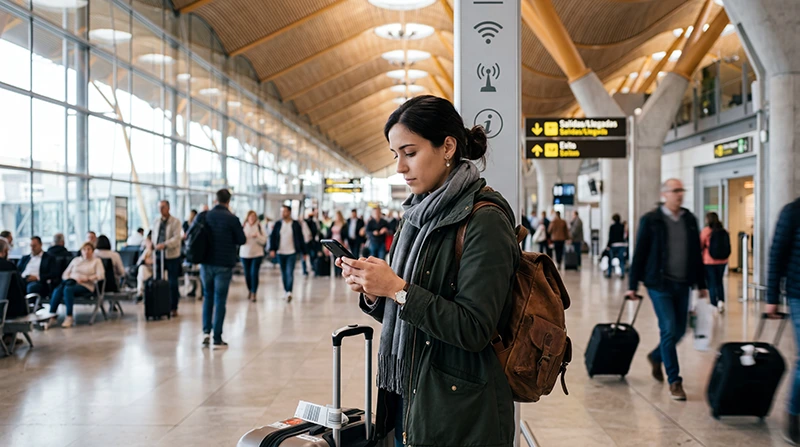

If you are arriving at Madrid Airport, you may want internet access immediately after landing.
Travelers often need WiFi or mobile data at Madrid Airport for Google Maps, hotel communication, WhatsApp, airport transfers, train tickets, ride apps, booking confirmations, translation tools, and onward travel across Spain.
Quick answer: Madrid Airport may offer airport WiFi, but many travelers prefer using a Spain eSIM because it continues working after leaving the terminal and does not depend on public WiFi coverage.
Top Spain eSIMs
Does Madrid Airport Have WiFi?
Many major airports provide WiFi access for travelers, and Madrid Airport may offer airport WiFi inside the terminal areas.
Airport WiFi can be useful for basic tasks while you are still inside the airport, such as checking messages, opening booking confirmations, or contacting your hotel.
However, public airport WiFi may not be the most reliable option for your entire trip because it stops being useful once you leave the airport.
What Can You Use Airport WiFi For?
Airport WiFi can help with simple online tasks immediately after arrival.
- Checking WhatsApp messages
- Opening hotel booking details
- Looking up airport transport options
- Checking train or metro information
- Messaging your host or hotel
- Loading travel documents
Limitations of WiFi at Madrid Airport
Airport WiFi can be helpful, but it may have limitations.
- Connection quality may vary by terminal area.
- Speeds may slow down when many travelers are connected.
- Login pages may interrupt access.
- WiFi may disconnect when moving through the airport.
- It does not work once you leave the airport area.
- Public WiFi may not be ideal for sensitive tasks.
Why Mobile Internet Is Useful After Landing
Once you leave Madrid Airport, mobile internet becomes much more useful than airport WiFi.
Travelers often need mobile data for:
- Google Maps from the airport to the city
- Metro, train, bus, and taxi routes
- Ride apps and airport transfers
- Hotel or Airbnb communication
- Restaurant reservations
- WhatsApp messages
- Travel planning after arrival
WiFi vs eSIM at Madrid Airport
| Option | Best For | Main Limitation |
|---|---|---|
| Airport WiFi | Basic use inside terminal | Stops being useful after leaving airport |
| Spain eSIM | Full trip mobile internet | Requires eSIM-compatible phone |
| Airport SIM card | Phones without eSIM | May require queues and SIM replacement |
| Roaming | Short trips with included roaming | Depends on home provider |
Why Many Travelers Prefer Spain eSIM
An eSIM is a digital SIM card built directly into compatible smartphones.
Instead of relying only on airport WiFi or buying a SIM card after landing, travelers can install a Spain eSIM before departure and use mobile internet after arriving in Madrid.
This gives travelers a smoother arrival experience because mobile data can work beyond the airport terminal.
Benefits of Using eSIM at Madrid Airport
- Install before travel
- No physical SIM card required
- No airport SIM card queues
- Works after leaving the airport
- Useful for maps, transport, hotels, and WhatsApp
- Can keep your regular SIM active
Madrid Airport to City: Why Internet Matters
After landing in Madrid, many travelers continue directly to the city center, hotels, business meetings, train stations, or other Spanish destinations.
Mobile internet helps with:
- Finding the correct metro, train, or bus route
- Opening taxi or ride apps
- Checking hotel check-in details
- Using maps during transfer
- Messaging family, friends, hosts, or colleagues
- Changing travel plans if needed
Can You Buy a SIM Card at Madrid Airport?
You may find prepaid SIM cards at Madrid Airport from airport shops, kiosks, electronics stores, telecom points, or convenience stores.
However, availability can depend on terminal, arrival time, opening hours, store stock, and airport crowds.
Many travelers prefer eSIM because they can prepare internet before departure and avoid shopping for a SIM card after landing.
Madrid Airport WiFi vs SIM Card vs eSIM
| Internet Option | Advantages | Possible Drawbacks |
|---|---|---|
| Airport WiFi | Useful inside the airport | Limited outside the terminal |
| Airport SIM card | Can work for older phones | Requires shop visit and physical SIM swap |
| Spain eSIM | Digital setup before travel | Requires compatible unlocked phone |
| Roaming | No new SIM needed | Costs and limits depend on provider |
How Much Data Do You Need After Arriving in Madrid?
| Travel Style | Estimated Data Need |
|---|---|
| Airport transfer, maps, messaging | 1GB – 3GB |
| Madrid city break | 3GB – 5GB |
| Regular Spain tourist trip | 5GB – 15GB |
| Remote work, hotspot, heavy social media | 30GB+ or unlimited recommended |
Coverage in Madrid and Across Spain
Mobile coverage is usually strong in Madrid, the airport area, city center, hotels, business districts, tourist attractions, metro areas, and major transport routes.
Coverage is also usually strong in popular Spanish destinations such as Barcelona, Valencia, Seville, Malaga, Bilbao, beach resorts, and major train routes.
Signal quality may vary in remote countryside, mountain regions, tunnels, ferry routes, rural roads, and isolated beaches.
Can You Use Spain eSIM Beyond Madrid Airport?
Yes. A Spain eSIM can be useful beyond Madrid Airport and across many Spanish destinations.
Travelers commonly use mobile internet for:
- Madrid city travel
- Barcelona trips
- Valencia and Seville travel
- Malaga and Costa del Sol holidays
- Spanish island travel
- Train journeys across Spain
- Road trips and beach routes
Do You Need Data Roaming Enabled?
Yes. Most travel eSIM plans require data roaming to be enabled on the eSIM line.
If roaming is disabled, mobile internet may not work correctly even if the eSIM is installed.
If you want to avoid using your primary SIM abroad, keep data roaming disabled on your regular SIM and enable it only on the Spain eSIM line.
APN Settings for NoveSIM eSIM
In most cases, APN settings configure automatically.
If manual setup is required for NoveSIM eSIM, use:
| Setting | Value |
|---|---|
| APN | data.esim |
Can You Keep Your Main SIM Active?
Yes. Most modern smartphones support dual SIM functionality.
This allows travelers to use a Spain eSIM for mobile data while keeping their regular SIM active for:
- Calls
- SMS verification codes
- Banking apps
- Authentication messages
- WhatsApp on the same number
How to Activate a Spain eSIM Before Madrid Airport Arrival
- Choose your Spain eSIM plan before travel.
- Install the eSIM using the QR code or activation link while connected to WiFi.
- Arrive at Madrid Airport.
- Select the Spain eSIM for mobile data.
- Enable data roaming on the Spain eSIM line.
- Wait for the phone to connect to the network.
Where to Find Your NoveSIM eSIM Details
Your NoveSIM eSIM QR code and installation instructions are available:
- In your confirmation email
- Under My Account → Orders → View → eSIM details
Before Relying Only on Airport WiFi
Before your trip, consider:
- Will you need maps after leaving the airport?
- Will you need taxi, metro, or train apps?
- Will your hotel or host contact you through WhatsApp?
- Will you travel beyond Madrid?
- Does your phone support eSIM?
- Is your phone carrier unlocked?
Get Mobile Internet Before Landing in Madrid
Many travelers prepare mobile internet before departure so they can stay connected immediately after arriving at Madrid Airport.
Browse NoveSIM eSIM destinations
More Spain Airport and eSIM Guides
- Spain eSIM
- SIM Card Madrid Airport
- Internet Madrid Airport
- eSIM Madrid Airport
- Best eSIM for Spain
- Buy eSIM Spain
- Best SIM Card Spain
- Mobile Internet Spain
- Internet Spain Tourists
- Spain Roaming Charges
FAQ: WiFi at Madrid Airport
Does Madrid Airport have WiFi?
Madrid Airport may offer WiFi inside terminal areas. It can be useful for basic tasks while you are still inside the airport.
Is airport WiFi enough after landing in Madrid?
Airport WiFi may help inside the terminal, but mobile data is more useful after leaving the airport for maps, transfers, hotels, taxis, trains, and travel apps.
Is eSIM better than airport WiFi?
For full-trip connectivity, eSIM is usually more practical because it works outside the airport and does not depend on public WiFi coverage.
Can I buy a SIM card at Madrid Airport?
SIM cards may be available from airport shops, kiosks, electronics stores, telecom points, or convenience stores, depending on terminal, opening hours, and availability.
Do I need data roaming enabled for Spain eSIM?
Yes. Most travel eSIM plans require data roaming to be enabled on the eSIM line.
What is the APN for NoveSIM eSIM?
The APN for NoveSIM eSIM is data.esim.
Can I keep my regular SIM active while using eSIM?
Yes. Most compatible smartphones support using a regular SIM together with an eSIM.
Final Recommendation
Madrid Airport WiFi can be useful for basic internet access inside the terminal, but it is not a complete solution for the rest of your trip.
For many travelers, a Spain eSIM is more practical because it can be installed before departure, works after leaving the airport, keeps the regular SIM active, and provides mobile data for maps, transfers, hotels, WhatsApp, trains, and travel apps.
If you want smoother arrival connectivity in Madrid, prepare a Spain eSIM before your flight and use airport WiFi only as a backup.


