


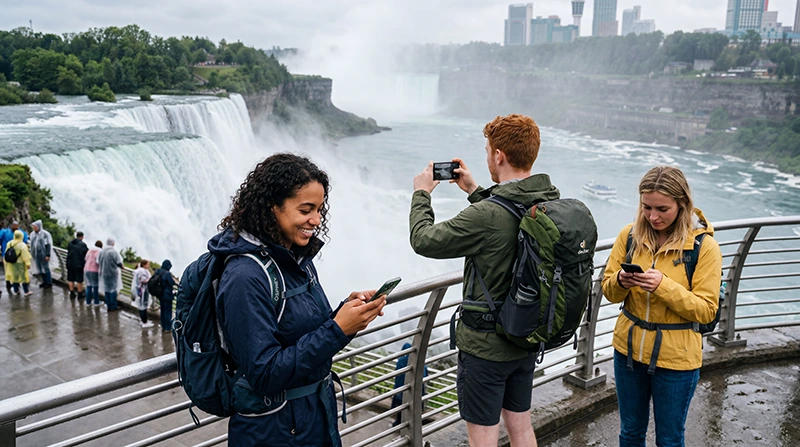

Internet at Niagara Falls depends on which side of the international border you visit. A Canadian plan is suitable for Niagara Falls, Ontario, while a visit to Niagara Falls, New York requires US coverage or roaming explicitly included by the plan.
Phones near the Niagara River can detect a network from the other country. Automatic selection is normally convenient, but travellers with a single-country plan should watch the attached operator and prevent unintended home-SIM roaming.
NoveSIM travel eSIMs are data-only. We do not provide a Canadian or US number, conventional calls or SMS, although maps, messaging and internet calls work through mobile data.
Quick answer: Use a Canada eSIM for the Ontario attractions and a plan covering both Canada and the United States if you will cross the Rainbow Bridge or visit the New York side. Download the local map and border documents before arrival, and verify the active network near the river.
Top Canada eSIMs

Canada eSIM
Fixed
1 GB, 7 days€ 4.022 GB, 15 days€ 6.703 GB, 30 days€ 9.83Unlimited
Unlimited, 1 day€ 5.36Unlimited, 3 days€ 15.19Unlimited, 5 days€ 23.67
Do you need Canada or US mobile coverage?
| Itinerary | Coverage to choose |
|---|---|
| Ontario attractions only | Canada |
| New York attractions only | United States |
| Both sides of the falls | Plan explicitly covering Canada and the US |
| Toronto trip with a brief falls visit | Canada unless crossing the border |
The border is not merely a change of viewpoint. Entry documents, opening conditions and mobile coverage are separate issues, so check official border information before planning to cross.
Why can the phone attach to the wrong country?
Radio signals do not stop exactly at the border. Close to the river, a device may see Canadian and American networks. If the active plan covers only one country, check the displayed operator before heavy use.
Start with Automatic selection because it normally uses the permitted partner. If the phone repeatedly chooses an unsupported network, manual selection can be used carefully as a troubleshooting step. The Canada and US roaming eSIM guide explains the wider cross-border setup.
Can you rely on public Wi-Fi?
Some hotels, restaurants and public facilities provide Wi-Fi, and the City of Niagara Falls lists free public Wi-Fi among amenities at selected facilities. Availability at one park does not mean continuous service through the tourist district.
- Use the official network name shown by the venue.
- Avoid banking or sensitive account changes on unknown hotspots.
- Keep file sharing off.
- Do not install certificates requested by an unexpected portal.
- Forget the network when finished if automatic reconnection is unwanted.
Mobile data is more useful for navigation between viewpoints, parking, transport and accommodation. For a wider stay, see the Canada mobile internet guide.
Prepare before a Niagara Falls day trip
- Download maps for the correct country or both sides.
- Save parking, bus and hotel information offline.
- Keep tickets and attraction confirmations accessible without data.
- Carry a charged power bank because maps and photography use battery.
- Protect the phone from mist near viewing areas.
- Confirm any border-crossing documents before departure.
Do not place the phone in an unsealed pocket where spray can reach the charging port. Water resistance varies by device condition and is unrelated to eSIM support.
How to start a Canada eSIM
- Install the eSIM before travel when the instructions permit.
- Select it for mobile data after arrival.
- Enable Data Roaming on the travel line.
- Disable automatic data switching to the home SIM.
- Leave network selection on Automatic.
- Load a webpage with Wi-Fi off.
If it does not connect, confirm that the plan covers the country shown by the phone. Use data.esim when manual NoveSIM APN entry is required. Do not delete the profile; follow the Canada eSIM troubleshooting guide.
Related Articles
- Best eSIM for Canada
- Best eSIM for the USA and Canada
- Best SIM card for Canada
- Internet in Toronto for tourists
FAQ
Will a Canada eSIM work on the US side of Niagara Falls?
Only if the exact plan also includes the United States. Canadian coverage alone should not be assumed to cross the border.
Can my phone connect to a US network from Canada?
It may detect one near the river. Check the operator name and the plan’s included countries to avoid an unsupported connection.
Is there free Wi-Fi at Niagara Falls?
Wi-Fi is available at selected hotels, businesses and public facilities, but it is not a continuous connection across every attraction and route.
Does a NoveSIM Canada eSIM include calls?
No. NoveSIM travel plans are data-only and do not include conventional calls, SMS or a Canadian number.
Final Recommendation
Choose Canada coverage for an Ontario-only visit and a Canada-US plan when the itinerary genuinely crosses the border. Check the connected operator near the river.
Download maps, tickets and border information before the day trip. Use public Wi-Fi for low-risk tasks and keep mobile data available for movement between attractions.