


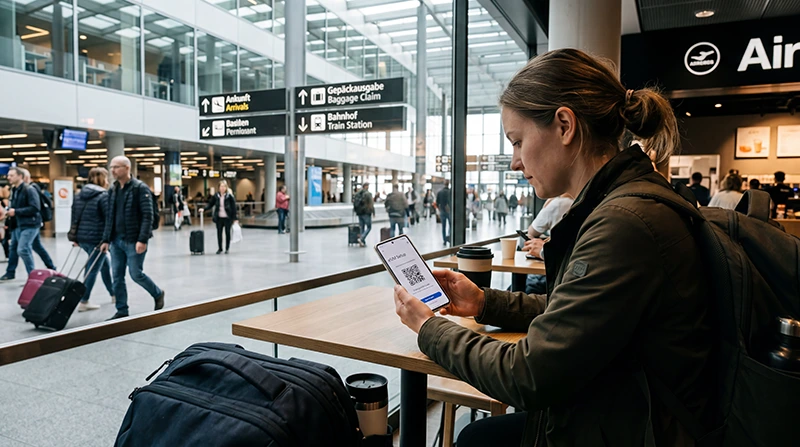

A Zurich Airport eSIM lets a compatible, unlocked phone use mobile data after landing without waiting to buy a physical SIM. It is particularly useful for opening train information, retrieving a ticket, messaging accommodation and navigating after leaving the airport Wi-Fi area.
The eSIM should be installed before the flight on a reliable connection. After arrival, the traveller still needs to select the correct data line, enable Data Roaming and confirm that the phone has registered on a supported Swiss partner network.
We provide data-only travel eSIMs. We do not provide a Swiss telephone number, conventional voice calls or carrier SMS, although WhatsApp and other internet calling and messaging services work through data.
Quick answer: install the Switzerland eSIM before departure, save the first train or transfer route offline and activate the travel line according to the plan instructions. At Zurich Airport, select it for Mobile Data, enable Data Roaming and test it with Wi-Fi switched off before continuing to the station or pickup point.
Top Switzerland eSIMs

Switzerland eSIM
Fixed
1 GB, 7 days€ 2.222 GB, 15 days€ 3.113 GB, 30 days€ 4.44Unlimited
Unlimited, 1 day€ 2.66Unlimited, 3 days€ 5.77Unlimited, 5 days€ 9.32
Europe Extra eSIM
Fixed
1 GB, 7 days€ 2.222 GB, 15 days€ 3.553 GB, 30 days€ 4.44Unlimited
Unlimited, 1 day€ 2.66Unlimited, 3 days€ 5.32Unlimited, 5 days€ 8.87Europe+ eSIM
Fixed
1 GB, 7 days€ 2.662 GB, 15 days€ 3.993 GB, 30 days€ 5.32Unlimited
Unlimited, 1 day€ 2.66Unlimited, 3 days€ 6.21Unlimited, 5 days€ 10.20Compare the current Switzerland eSIM plans and check the exact phone on the eSIM-compatible device list. Compatibility is not enough on its own: the handset must also be unlocked for the plan to register on its supported network.
Why Prepare an eSIM Before Zurich Airport?
The most time-sensitive arrival tasks often happen immediately: confirming a platform, showing a booking, telling someone about a delay or finding the correct address. Installing before travel separates those tasks from airport retail availability and leaves the physical SIM slot untouched on a compatible Dual SIM phone.
An eSIM does not guarantee reception in every building, tunnel or part of Switzerland. Coverage depends on the network included with the plan, the device, exact location and local conditions. Choose the plan for the entire itinerary rather than only for the airport.
What to Save Before the Flight
- The accommodation name, full address and check-in instructions.
- The first train, tram, bus or road route from the airport.
- The ticket or booking reference in a form that opens offline.
- A meeting point and contact number for a pickup.
- The NoveSIM installation instructions and support details.
Open the saved material once in aeroplane mode before departure. A screenshot or downloaded ticket is more reliable than assuming an app will retain the information without signing in again.
How to Connect After Landing
- Open the phone’s cellular or mobile network settings.
- Switch on the Switzerland eSIM.
- Select the travel eSIM as the Mobile Data line.
- Enable Data Roaming for that eSIM.
- Disable automatic data switching to the home SIM.
- Keep network selection on Automatic and allow the phone time to register.
- Turn off Wi-Fi and test an ordinary webpage, the route and a message.
Do the test before committing to the onward journey. Seeing signal bars is not enough; the browser and travel app should actually load over mobile data.
Using Data for the Airport Transfer
Mobile data is most valuable when the journey changes. Use it to verify live departure information, contact a host or driver and recalculate a route, while keeping the original plan available offline. Do not rely on a terminal Wi-Fi session to continue after moving towards the railway station, public transport stop or road pickup.
Navigation and text messaging are relatively light uses. Automatic photo backup, video, operating-system updates and hotspot work can consume the allowance much faster. Reserve enough data and battery for the final transfer back to Zurich Airport.
Keep the Home SIM from Roaming
A Dual SIM phone may keep the usual number active while the eSIM handles data. This can help with verification messages, but incoming calls and SMS remain subject to the home carrier’s roaming conditions. Disable mobile data and automatic data switching on the home line.
Switzerland is not automatically included in every European roaming arrangement. Check the exact terms of the home plan instead of assuming that travel elsewhere in Europe makes Swiss roaming free. The Switzerland roaming guide explains the practical checks to make before departure.
eSIM or a Local SIM in Switzerland?
A travel eSIM suits a visitor who mainly needs data and wants to prepare before flying. A local SIM may be preferable when a Swiss telephone number, carrier SMS or a domestic package is essential. Local purchase still depends on the seller’s requirements and activation process.
Compare those needs in the Switzerland tourist SIM guide. The cheapest allowance is not necessarily the better arrival option if it delays access to a ticket or transfer.
If the eSIM Does Not Work at Zurich Airport
Confirm that the travel eSIM is enabled, selected for Mobile Data and allowed to use Data Roaming. Check the plan’s validity and remaining allowance, toggle aeroplane mode briefly, restart the phone once and leave network selection on Automatic. If a NoveSIM plan requires manual APN entry, use data.esim.
Do not delete the installed eSIM. Keep it available while following the Switzerland eSIM troubleshooting guide or contacting Support. Record the phone model, displayed network and whether the failure affects all sites or only one app.
Related Articles
- Switzerland eSIM Plans
- Best SIM Card for Switzerland
- Roaming Charges in Switzerland
- eSIM Not Working in Switzerland
FAQ
Can I install a Switzerland eSIM before flying to Zurich?
Yes. Install it on reliable Wi-Fi before departure, then follow the purchased plan’s instructions about when activation and validity begin.
Should I use airport Wi-Fi or the eSIM after landing?
Airport Wi-Fi can be a useful backup, but an active eSIM continues beyond the terminal and is better suited to live tickets, maps and transfer communication.
Does a NoveSIM Switzerland eSIM include a Swiss number?
No. We provide mobile data without a Swiss number, conventional calls or carrier SMS. Internet calling and messaging apps use the data connection.
What should I do if the eSIM has signal but no internet?
Check the selected data line, Data Roaming, allowance and Automatic network selection. Use data.esim if manual APN entry is required, and do not delete the profile before Support can diagnose it.
Final Recommendation
Prepare the Zurich Airport eSIM before travel when you want data ready for train information, maps, messages and the first accommodation journey.
After landing, select the eSIM for mobile data, enable Data Roaming only on the travel line and test a real task with Wi-Fi switched off.
Keep the ticket, address and first route offline as well. That gives the arrival plan a practical fallback if registration is slow or reception changes during the transfer.