


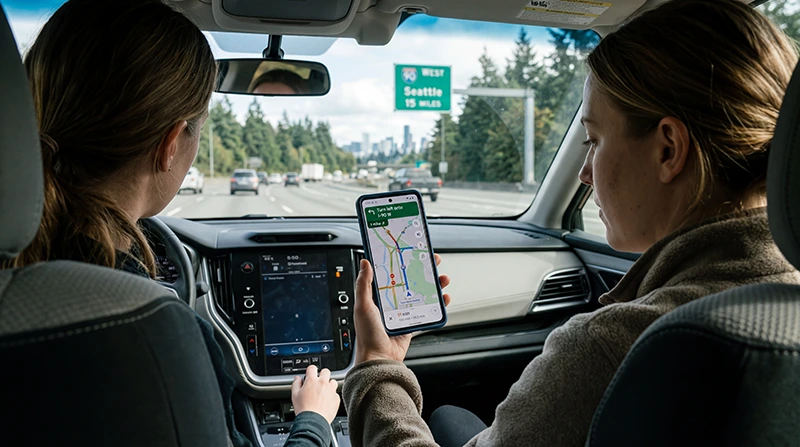

Google Maps is one of the most important apps for traveling in the United States.
Whether you are arriving at an airport, exploring New York, driving in Los Angeles, visiting national parks, planning a USA road trip, or finding hotels, restaurants, gas stations, and attractions, Google Maps can make your trip much easier.
Quick answer: yes, you can use Google Maps in the USA, but you need mobile internet for live navigation, traffic updates, route changes, transit information, and searching places while traveling. A USA eSIM is usually one of the easiest ways to stay connected.
Top United States eSIMs

United States eSIM
Fixed
1 GB, 7 days€ 2.662 GB, 15 days€ 4.443 GB, 30 days€ 5.77Unlimited
Unlimited, 1 day€ 3.55Unlimited, 3 days€ 8.87Unlimited, 5 days€ 13.75
Do You Need Internet to Use Google Maps in the USA?
You need internet for the full Google Maps experience in the USA.
Google Maps can show live routes, traffic, public transport, walking directions, restaurant reviews, fuel stops, hotel locations, and updated travel information when your phone is connected to mobile data or WiFi.
You can also download offline maps before your trip, but offline maps have limitations and do not replace live mobile internet.
What You Can Do with Google Maps and Mobile Data
- Use live driving navigation
- Get traffic updates and route changes
- Search restaurants, hotels, shops, and attractions
- Find gas stations and EV charging points
- Check airport routes and pickup points
- Use walking directions in cities
- Use public transport directions where available
- Read business hours and reviews
- Share your live location with friends or family
- Find nearby emergency services if needed
Best Internet Options for Google Maps in the USA
| Option | Best for | Main advantage |
|---|---|---|
| USA eSIM | Most travelers | Fast digital setup before arrival |
| Physical SIM card | Older phones | Works if your phone does not support eSIM |
| International roaming | Very short trips | No separate installation |
| Public WiFi | Hotels, airports, cafés | Free but limited while moving |
| Offline maps | Backup navigation | Useful when signal is weak |
Why a USA eSIM Is Useful for Google Maps
A USA eSIM gives your phone mobile data without needing a physical SIM card. This is especially useful when you need Google Maps immediately after landing or while moving between destinations.
With a USA eSIM, travelers can:
- Install mobile data before departure
- Use Google Maps shortly after arrival
- Avoid airport SIM card queues
- Keep their regular SIM active
- Use live navigation while driving
- Search places while walking in cities
- Download offline maps before remote routes
- Use hotspot if supported by the plan
Top United States eSIMs
United States eSIM
Fixed
1 GB, 7 days€ 2.662 GB, 15 days€ 4.443 GB, 30 days€ 5.77Unlimited
Unlimited, 1 day€ 3.55Unlimited, 3 days€ 8.87Unlimited, 5 days€ 13.75Can You Use Google Maps Offline in the USA?
Yes, you can download Google Maps offline areas before traveling or while connected to WiFi.
Offline maps can help when mobile coverage is weak, especially during road trips, national park visits, mountain drives, desert routes, rural highways, or long-distance travel.
However, offline maps may not include live traffic, real-time route changes, updated business information, some transit details, or live search results.
When Offline Maps Are Especially Important
- USA road trips
- National park travel
- Remote highways
- Desert routes
- Mountain roads
- Rural areas
- Long drives between cities
- Areas with limited mobile signal
How Much Data Does Google Maps Use?
Google Maps does not usually use large amounts of data compared with video streaming, but data use depends on how often you search, reroute, zoom, use satellite view, or keep navigation active.
| Use case | Suggested data | Best for |
|---|---|---|
| City trip | 3GB to 5GB | Maps, walking routes, searches, messaging |
| 1 week USA trip | 10GB to 20GB | Daily navigation, bookings, apps, photos |
| Road trip | 20GB to 50GB | Long navigation, music, uploads, travel apps |
| Long USA travel | Large or unlimited data | Heavy use, hotspot, streaming, remote work |
Using Google Maps After Landing in the USA
Many travelers need Google Maps immediately after landing at a US airport.
You may need mobile data to find:
- Taxi and rideshare pickup zones
- Car rental counters
- Hotel directions
- Public transport routes
- Airport shuttle stops
- Nearby restaurants and shops
- Driving routes from the airport
Installing your USA eSIM before departure helps you avoid searching for WiFi or buying a SIM card at the airport.
Using Google Maps for USA Road Trips
Google Maps is extremely useful for USA road trips because distances are long and plans often change.
Mobile internet helps you check traffic, reroute around delays, find gas stations, compare hotel options, locate restaurants, and plan stops along the way.
For road trips, combine a USA eSIM with offline maps for the safest setup.
Using Google Maps in US Cities
In major US cities, Google Maps can help with walking directions, subway and bus routes, rideshare pickup points, restaurants, museums, stores, hotels, parking areas, and tourist attractions.
Mobile internet is especially useful in cities such as:
- New York
- Los Angeles
- Miami
- Las Vegas
- San Francisco
- Chicago
- Orlando
- Washington DC
- Boston
Using Google Maps in National Parks
Google Maps can help with routes to national parks, entrances, visitor centers, viewpoints, hotels, lodges, and nearby towns.
Inside national parks, mobile coverage can be limited, especially in canyons, forests, mountains, deserts, and remote trails. Offline maps are strongly recommended.
Read more about eSIM for US national parks
When Should You Install Your USA eSIM?
Install your USA eSIM before departure or while you have stable WiFi.
After purchase, your eSIM QR code and installation instructions are sent by email. You can also find your eSIM details in your NoveSIM account under your order details.
When you arrive in the United States, select the eSIM for mobile data and enable data roaming if required.
How to Use Google Maps with a USA eSIM
- Choose a USA eSIM plan before your trip.
- Check that your phone supports eSIM.
- Install your eSIM while connected to stable WiFi.
- Download offline maps for your route as a backup.
- Arrive in the United States.
- Select your USA eSIM for mobile data.
- Enable data roaming for the eSIM if required.
- Open Google Maps and start navigation.
Check if your phone supports eSIM
Common Google Maps Mistakes to Avoid in the USA
- Relying only on public WiFi
- Not downloading offline maps for road trips
- Using satellite view too often if you have limited data
- Forgetting to enable mobile data for the eSIM
- Forgetting to enable data roaming on the eSIM if required
- Not checking eSIM compatibility before buying
- Expecting mobile signal everywhere in remote areas
- Waiting until airport arrival to search for internet
Related USA Travel Internet Guides
- Internet for USA Road Trips
- Best Mobile Data for Cross-Country Travel
- eSIM for National Parks in the USA
- Best eSIM for USA Road Trip
- Best eSIM for USA
- Internet in the USA for Tourists
- Best Way to Get Mobile Internet in the USA
- Local SIM vs eSIM in the USA
FAQ: Using Google Maps in the USA
Can I use Google Maps in the USA?
Yes. You can use Google Maps in the USA for driving, walking, public transport, places, restaurants, hotels, airports, and road trips.
Do I need internet for Google Maps in the USA?
You need internet for live navigation, traffic updates, route changes, place searches, and updated travel information. Offline maps can help as a backup.
Can I use Google Maps offline in the USA?
Yes. You can download offline maps before your trip, but offline maps may not include live traffic, updated routes, real-time search, or full transit information.
Is a USA eSIM good for Google Maps?
Yes. A USA eSIM is useful for Google Maps because it gives your phone mobile data for live navigation, search, routing, and travel apps while moving around the United States.
How much data do I need for Google Maps in the USA?
For light city travel, 3GB to 5GB may be enough. For road trips or longer travel, 10GB to 50GB or a large data plan is safer, especially if you also use music, photos, hotspot, and travel apps.
Can I use Google Maps immediately after landing in the USA?
Yes, if your phone has mobile data. Installing a USA eSIM before departure helps you use Google Maps shortly after arrival without looking for airport WiFi or a SIM card store.
Should I download offline maps for a USA road trip?
Yes. Offline maps are recommended for road trips, national parks, deserts, mountains, rural highways, and areas where mobile coverage may be weaker.
Can I keep my normal SIM active while using a USA eSIM for Google Maps?
Yes. In most cases, you can keep your regular SIM active and use the USA eSIM for mobile data, depending on your phone settings.
Final Recommendation
For using Google Maps in the USA in 2026, the best setup is a USA eSIM for mobile data, offline maps downloaded before remote routes, and enough data for navigation, bookings, messaging, travel apps, and hotspot use if needed.
This gives you reliable access to maps across airports, cities, highways, national parks, hotels, and road trip routes throughout the United States.