


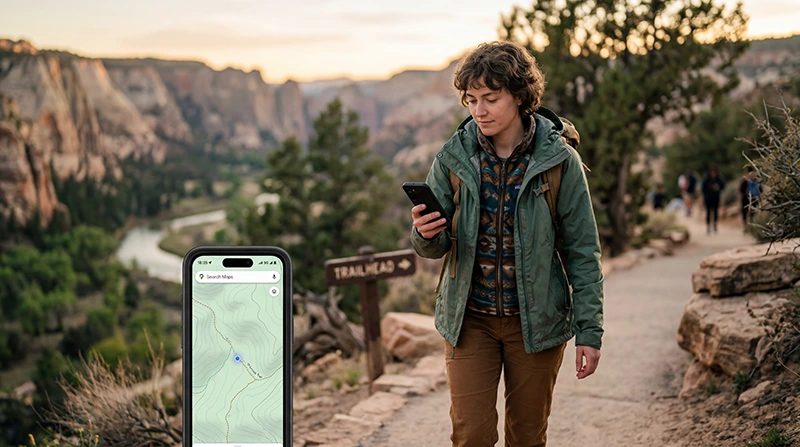

Visiting national parks in the United States is one of the best ways to experience America’s landscapes, but mobile internet can be limited in remote areas.
Whether you are visiting Yellowstone, Yosemite, Grand Canyon, Zion, Bryce Canyon, Joshua Tree, Rocky Mountain, Acadia, Everglades, or other US national parks, a USA eSIM can help you stay connected for navigation, bookings, weather updates, emergency communication, and travel planning.
Quick answer: a USA eSIM is a smart option for national park travel in 2026, but you should also download offline maps because mobile coverage inside national parks can vary by location, terrain, and network.
Top United States eSIMs

United States eSIM
Fixed
1 GB, 7 days€ 2.672 GB, 15 days€ 4.453 GB, 30 days€ 5.79Unlimited
Unlimited, 1 day€ 3.56Unlimited, 3 days€ 8.91Unlimited, 5 days€ 13.81
Why You Need Mobile Internet for US National Parks
National park trips often include remote roads, mountain areas, desert routes, forest trails, scenic viewpoints, and long drives between towns. Mobile data can be useful before entering the park, around visitor centers, near towns, at hotels, and along main roads.
Travelers often use mobile internet for:
- Google Maps, Apple Maps, and trail navigation
- Downloading offline maps
- Checking weather and road closures
- Finding visitor centers and entrances
- Booking hotels, lodges, campsites, and permits
- Finding gas stations and restaurants near the park
- Emergency communication and location sharing
- Uploading photos and videos
- Messaging family or travel partners
- Using hotspot at hotels or roadside stops
Can You Use an eSIM in US National Parks?
Yes, you can use an eSIM in and around many US national parks if your phone supports eSIM and your plan connects to available mobile networks.
However, national parks often include remote areas where mobile coverage may be weak or unavailable. Coverage is usually better near towns, park entrances, visitor centers, main roads, hotels, and developed areas.
For trails, canyons, forests, mountains, desert areas, and remote scenic roads, offline maps are strongly recommended.
Best Internet Options for National Park Travel
| Option | Best for | Main advantage |
|---|---|---|
| USA eSIM | Most travelers | Fast digital setup |
| Physical SIM card | Older phones | Works if your phone does not support eSIM |
| International roaming | Very short trips | No extra setup |
| Public WiFi | Hotels and visitor centers | Useful backup |
| Offline maps | Remote areas | Works without signal |
Why a USA eSIM Is Useful for National Parks
A USA eSIM is useful because it gives you mobile data without needing to buy a physical SIM card after arrival.
With a USA eSIM, travelers can:
- Install mobile data before departure
- Use internet after landing in the United States
- Avoid airport SIM card queues
- Keep their regular SIM active
- Use maps and travel apps during the trip
- Download offline maps before remote routes
- Use hotspot if supported by the plan
- Stay connected near towns, hotels, entrances, and main roads
Top United States eSIMs
United States eSIM
Fixed
1 GB, 7 days€ 2.672 GB, 15 days€ 4.453 GB, 30 days€ 5.79Unlimited
Unlimited, 1 day€ 3.56Unlimited, 3 days€ 8.91Unlimited, 5 days€ 13.81Where Mobile Coverage Is Usually Better in National Parks
Coverage depends on the park, network, weather, terrain, and your exact location. In general, mobile coverage is usually better in more developed or open areas.
- Park entrances
- Visitor centers
- Main roads
- Nearby towns
- Hotels and lodges
- Campgrounds in developed areas
- Open viewpoints
- Parking areas
Where Mobile Coverage Can Be Weak
Mobile coverage can be weak or unavailable in remote, blocked, or low-signal areas.
- Deep canyons
- Dense forests
- Mountain valleys
- Remote hiking trails
- Desert backroads
- Areas far from towns
- Backcountry campsites
- Long scenic roads with limited infrastructure
Best Networks for US National Parks
The main mobile networks in the United States are Verizon, AT&T, and T-Mobile.
Verizon
Verizon is often considered strong for rural areas, highways, remote travel routes, and some national park regions.
AT&T
AT&T is often strong around highways, towns, suburbs, and many travel corridors near parks.
T-Mobile
T-Mobile is often strong in cities, airports, towns, and tourist areas, but remote park coverage can vary.
No network gives perfect coverage in every national park. Always prepare offline maps and save important travel information before entering remote areas.
How Much Data Do You Need for National Park Travel?
| Trip type | Suggested data | Best for |
|---|---|---|
| Weekend park trip | 3GB to 5GB | Maps, messaging, light browsing |
| 1 week park road trip | 10GB to 20GB | Navigation, bookings, photos, weather |
| Multi-park road trip | 20GB to 50GB | Daily maps, uploads, hotspot, travel apps |
| Long national park route | Large or unlimited data | Heavy use, hotspot, remote work, streaming |
Should You Download Offline Maps?
Yes. Offline maps are essential for national park travel in the USA.
Before visiting a national park, download offline maps for the park, nearby towns, hotel areas, trailheads, and the roads around your route.
You should save:
- Google Maps offline areas
- Apple Maps offline areas if available on your device
- Trail maps
- Park entrance locations
- Hotel and campsite locations
- Gas stations near the park
- Emergency contact information
Can You Use Hotspot in National Parks?
Hotspot can work if your USA eSIM plan supports tethering and your phone has mobile coverage in that location.
Hotspot is useful for:
- Sharing internet with travel partners
- Using a laptop at hotels or lodges
- Backing up poor hotel WiFi
- Connecting tablets during road trip sections
- Uploading photos when you have signal
Inside remote park areas, hotspot may not work if there is no mobile signal.
Best National Park Trips Where a USA eSIM Helps
Grand Canyon National Park
A USA eSIM can help with navigation to viewpoints, hotel bookings, weather updates, shuttle information, and nearby town searches. Coverage may vary inside canyon areas.
Yellowstone National Park
Yellowstone covers a large area with remote roads and natural terrain. Mobile data can help around entrances, towns, lodges, and main roads, while offline maps are important for remote zones.
Yosemite National Park
Yosemite includes mountains, valleys, forests, and busy visitor areas. Mobile internet can help with road updates, bookings, navigation, and weather planning.
Zion National Park
Zion travelers often need mobile internet for shuttles, permits, hotels, weather, and navigation near Springdale and park entrances.
Bryce Canyon and Utah Parks
Utah road trips often combine multiple national parks. A USA eSIM helps with routing between parks, hotels, fuel stops, and weather checks.
Joshua Tree National Park
Joshua Tree includes desert routes where mobile coverage can vary. A USA eSIM is useful around towns and main roads, but offline maps are strongly recommended.
When Should You Install Your USA eSIM?
Install your USA eSIM before departure or while you still have stable WiFi.
After purchase, your eSIM QR code and installation instructions are sent by email. You can also find your eSIM details in your NoveSIM account under your order details.
When you arrive in the United States, select the eSIM for mobile data and enable data roaming if required.
How to Use a USA eSIM for National Parks
- Choose a USA eSIM plan before your trip.
- Check that your phone supports eSIM.
- Install your eSIM while connected to stable WiFi.
- Download offline maps for national parks and nearby roads.
- Keep your regular SIM active if you need your usual number.
- Select the USA eSIM for mobile data after arrival.
- Enable data roaming for the eSIM if needed.
- Use mobile data where coverage is available and offline maps where signal is weak.
Check if your phone supports eSIM
Common Mistakes to Avoid
- Expecting perfect mobile coverage inside every national park
- Not downloading offline maps before entering remote areas
- Buying too little data for a multi-park road trip
- Waiting until arrival to look for a SIM card
- Forgetting to check eSIM compatibility
- Forgetting to enable data roaming on the eSIM
- Relying only on public WiFi
- Not saving hotel, campsite, or permit details offline
Related USA Travel Internet Guides
- Internet for USA Road Trips
- Best Mobile Data for Cross-Country Travel
- Best eSIM for USA Road Trip
- Best eSIM for USA
- Internet in the USA for Tourists
- Best Way to Get Mobile Internet in the USA
- Local SIM vs eSIM in the USA
FAQ: eSIM for National Parks in the USA
Does eSIM work in US national parks?
An eSIM can work in and around US national parks when mobile coverage is available. Coverage depends on the park, network, terrain, and exact location.
Is a USA eSIM good for national park trips?
Yes. A USA eSIM is useful for national park trips because it gives you mobile data for maps, bookings, weather, messaging, and travel planning without needing a physical SIM card.
Will I have mobile signal everywhere inside national parks?
No. Many national parks have remote areas where signal can be weak or unavailable. Offline maps are strongly recommended.
Should I download offline maps before visiting national parks?
Yes. Offline maps are essential for national park travel because mobile coverage can be limited in canyons, forests, mountains, deserts, and remote roads.
Can I use Google Maps with a USA eSIM in national parks?
Yes, you can use Google Maps with a USA eSIM where mobile coverage is available. You should also download offline maps before entering remote park areas.
How much data do I need for national park travel?
For a weekend trip, 3GB to 5GB may be enough. For a one-week or multi-park road trip, 10GB to 50GB or a large data plan is usually safer.
Can I use hotspot with a USA eSIM in national parks?
Hotspot can work if your plan supports tethering and your phone has mobile signal. In remote areas with no coverage, hotspot will not work.
When should I install my USA eSIM?
Install your USA eSIM before departure or while connected to stable WiFi. Then select it for mobile data after arrival in the United States.
Final Recommendation
For national park travel in the USA in 2026, the best setup is a USA eSIM with enough data, offline maps downloaded before entering remote areas, and saved travel details for hotels, campsites, permits, and park entrances.
A USA eSIM helps you stay connected around cities, towns, highways, entrances, visitor centers, hotels, and many developed areas, while offline maps protect you when coverage becomes limited.