


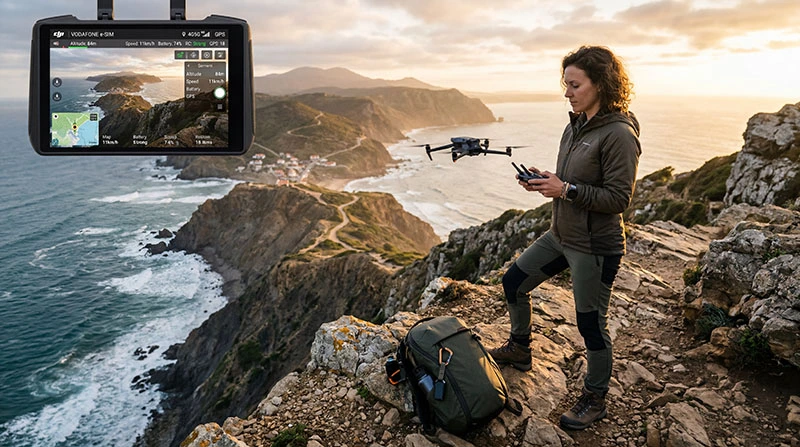

An eSIM can provide phone or tablet data during a drone trip, but it should not be treated as a substitute for the drone’s approved command-and-control link. Mobile coverage can disappear without warning.
Internet access is useful for checking current airspace information, weather, maps and travel logistics before a flight. Legal permission and safe operation still depend on the destination, location, aircraft and pilot.
NoveSIM travel eSIMs are data-only. They do not provide a local phone number, conventional calls or SMS, although internet services work where the plan has coverage.
Quick answer: Use an eSIM for planning and communication around a drone trip, not as a guarantee of flight control or legal permission. Download essential information beforehand and follow the local aviation authority, site owner and manufacturer instructions.
Top eSIMs

What an eSIM Can Help with on a Drone Trip
- Opening official airspace and restriction information.
- Checking weather and wind forecasts before departure.
- Downloading maps and reaching a legal launch location.
- Coordinating transport or contacting a local operator.
- Backing up selected media after the aircraft has landed safely.
For route preparation, use the maps and navigation guide. Store permits, registration documents and emergency details offline rather than assuming mobile data will remain available.
What Mobile Data Cannot Guarantee
A travel eSIM does not authorise a flight, extend visual-line-of-sight rules, remove geofencing or guarantee a usable network at the launch point. It also cannot make an unsafe weather condition acceptable.
Do not plan to control an aircraft through ordinary public mobile data unless the aircraft manufacturer and applicable regulations specifically support that operation. Latency, congestion, terrain and coverage gaps make consumer cellular service unsuitable as an assumed safety link.
Check the Rules before Every Location
- Identify the national aviation authority responsible for the destination.
- Check current registration, pilot-competency and insurance requirements.
- Review airspace restrictions, protected areas and temporary notices.
- Obtain permission from the land or site owner when required.
- Confirm distance, altitude, visual-line-of-sight and privacy rules.
- Recheck conditions shortly before the planned flight.
Rules can change and may differ between a country, city, national park, airport zone or event area. A blog article or mobile-data connection is not an aviation clearance.
Prepare for Remote Areas without Coverage
- Download offline maps and the return route.
- Save the official rules and permission documents locally.
- Carry charged controller, phone and aircraft batteries.
- Tell another person the location and expected return time.
- Stop the plan if visibility, weather, battery state or communication becomes unsafe.
Coverage depends on the plan, partner network, device, terrain and local demand. A signal in the nearest town does not prove that a beach, valley or mountain launch point has service. The offline travel apps guide helps prepare a phone for a coverage gap.
Choose and Configure the Travel Data Line
Confirm that the phone is unlocked and eSIM-compatible, then choose a plan covering the destination. Install it on reliable Wi-Fi when the activation rules permit.
After arrival, select the eSIM for Mobile Data, enable Data Roaming when required and turn off automatic switching to the home SIM. If a NoveSIM plan needs a manual APN, use data.esim.
If mobile data fails, follow the travel eSIM troubleshooting guide. Do not delete an installed profile unless NoveSIM Support instructs you to do so.
Related Articles
FAQ
Can an eSIM control my drone?
Do not assume so. Use only the control method approved by the aircraft manufacturer and permitted by local regulation.
Does mobile coverage make a location legal for flying?
No. Airspace, land access, privacy and operating rules are separate from mobile coverage.
Should I download maps before a remote flight?
Yes. Save the route, official restriction information and emergency details before leaving reliable coverage.
Can I livestream drone footage through an eSIM?
Only if the equipment, plan and local rules allow it, and only when doing so does not distract from safe operation. Uploading after landing is safer when bandwidth is uncertain.
Final Recommendation
Use an eSIM as a planning and communication tool around a drone trip, not as the aircraft’s assumed safety link.
Verify current aviation and site rules, prepare offline information and expect remote coverage gaps.
Fly only within the aircraft’s approved operating method and stop whenever conditions become unsafe.