


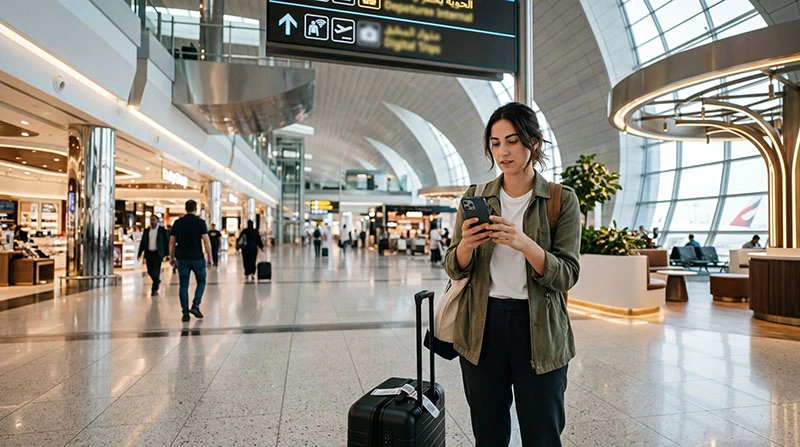

Internet at Dubai Airport is available through terminal Wi-Fi, local mobile services and a UAE eSIM installed before the flight. Wi-Fi is useful inside DXB, while mobile data continues working during the journey to your accommodation.
Choose based on what must happen immediately after landing: send a message, retrieve a booking, arrange transport or obtain a UAE number. A pre-installed eSIM avoids relying on a retail counter when data is the only requirement.
NoveSIM UAE plans are data-only and include no local number, calls or SMS. A local tourist SIM is more suitable when a UAE number is essential.
Quick answer: use official airport Wi-Fi for a temporary connection, but prepare an eSIM before departure if you need continuous data after leaving DXB. Buy a local visitor SIM when you specifically need a UAE number or included voice service.
Top United Arab Emirates eSIMs

United Arab Emirates eSIM
Fixed
1 GB, 7 days€ 3.552 GB, 15 days€ 5.783 GB, 30 days€ 7.55Unlimited
Unlimited, 1 day€ 4.44Unlimited, 3 days€ 11.11Unlimited, 5 days€ 17.77
Three ways to get internet at Dubai Airport
| Option | Useful for | Watch for |
|---|---|---|
| Airport Wi-Fi | Messages and bookings inside the terminal | Captive portal and loss of service after departure |
| Tourist SIM | Local number, calls or SMS | Registration, desk and package terms |
| Travel eSIM | Prepared data for the transfer | Compatibility, activation and correct settings |
Connect to airport Wi-Fi carefully
- Open Wi-Fi settings and identify the official airport network.
- Complete the displayed portal rather than accepting a similarly named network.
- Use the connection for essential arrival tasks.
- Avoid exposing sensitive information on an unverified public network.
- Switch Wi-Fi off when testing mobile data.
Using an eSIM after landing
Install the profile before departure using the Dubai eSIM instructions. At DXB, enable the UAE line, select it for mobile data and apply the plan’s roaming requirement. Disable automatic switching to the home SIM.
If the line shows signal without data, use data.esim when manual NoveSIM APN entry is required. Do not delete the installed eSIM unless support explicitly instructs you to do so. Continue with Dubai arrival troubleshooting.
Buying a SIM in the terminal
Local visitor services may be available at airport outlets, but counters, packages and opening arrangements can change. Carry the identification required for registering a UAE line and compare the full validity, data and calling allowance.
If you do not need a number, compare this effort with a data-only plan in the Dubai SIM card guide.
Prepare before the airport transfer
- Save the accommodation address and map pin offline.
- Install ride-hailing and airline apps before travel.
- Keep a screenshot of the eSIM instructions.
- Download the first route in case the connection is delayed.
For the rest of the stay, see Mobile Internet in Dubai.
Related Articles
FAQ
Is Wi-Fi available at Dubai Airport?
DXB provides terminal Wi-Fi, but travellers should verify the official network and expect it to end after leaving the airport.
Can I buy a tourist SIM at DXB?
Local visitor mobile services may be available at airport outlets. Current desks, packages and registration requirements should be checked before travel.
Should I install an eSIM before landing?
Yes. Installation is easier on dependable Wi-Fi before departure; follow the plan instructions for activation timing.
Will a Dubai Airport eSIM include a local number?
A NoveSIM UAE plan is data-only and does not include a UAE number, calls or SMS.
Final Recommendation
Use internet at Dubai Airport in layers: official Wi-Fi for an immediate fallback and prepared mobile data for the transfer beyond DXB.
Choose a registered tourist SIM only when its local number or calling bundle is useful.
Save the first route offline and configure the travel line before leaving the terminal, where help and Wi-Fi remain available.