


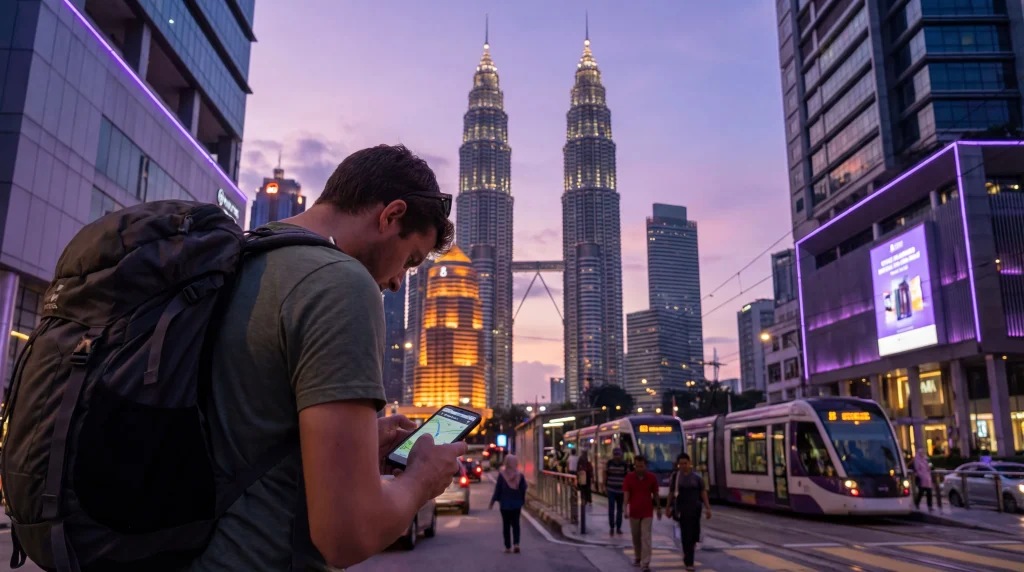

Internet in Malaysia helps tourists manage the journey after they leave the airport: ordering a Grab ride, checking rail platforms, opening accommodation messages and navigating unfamiliar streets. The useful question is not simply whether the country has mobile coverage, but whether the chosen connection works across the traveller’s actual route.
Kuala Lumpur and other large cities are the easiest environments. Islands, inland roads and journeys through Sabah or Sarawak require more preparation because signal quality can change between towns, ferry terminals, beaches and rural accommodation.
NoveSIM travel eSIMs are data-only. We do not provide a Malaysian telephone number, conventional calls or carrier SMS, but apps such as WhatsApp, maps and internet calling can use the data connection.
Quick answer: Prepare mobile data before the first transfer, keep the correct travel line selected and download the first route offline. Use hotel or airport Wi-Fi as a backup rather than the only connection, and check network access separately if the itinerary includes islands, rural Borneo or long road journeys.
Top Malaysia eSIMs

Malaysia eSIM
Fixed
1 GB, 7 days€ 4.012 GB, 15 days€ 7.133 GB, 30 days€ 9.35Unlimited
Unlimited, 1 day€ 5.35Unlimited, 3 days€ 12.92Unlimited, 5 days€ 20.94
What do tourists use mobile internet for in Malaysia?
A working data connection is most valuable during transitions: after landing, while changing transport, when locating an entrance or when a booking changes. Common daily tasks include:
- navigation and live traffic information;
- Grab rides and driver messages;
- rail, bus, ferry and flight updates;
- hotel check-in details and reservation changes;
- translation, messaging and internet calls;
- mobile tickets and attraction information;
- weather checks before island or outdoor activities.
Do not depend on connectivity for the only copy of a passport scan, ticket or accommodation address. Keep essential documents available offline and store the first destination in the phone before departure.
Prepare the phone before arriving
Install any travel eSIM over dependable private Wi-Fi and label the line clearly. The Malaysia eSIM installation guide explains the distinction between installing the profile and activating it for travel.
- Confirm that the phone is eSIM-compatible and network-unlocked.
- Save the order details and provider instructions offline.
- Download the airport transfer and accommodation area in the maps app.
- Turn off data roaming on the home SIM if it should not use paid roaming data.
- After arrival, select the travel eSIM for Mobile Data and enable data roaming on that line when instructed.
- Leave Network Selection on Automatic for the first connection attempt.
If a local number or conventional Malaysian calls are essential, compare that requirement before relying on a data-only plan. The Malaysia SIM card guide explains when a physical tourist SIM may be the better fit.
Using internet after landing in Kuala Lumpur
Complete the first connection check before joining the transport queue. Open a simple webpage, confirm the correct data line and load the saved route. If the travel line works, avoid changing the APN or forcing a network merely because airport Wi-Fi is also available.
At Kuala Lumpur International Airport, Wi-Fi can provide a useful fallback for retrieving a booking or contacting support. The Kuala Lumpur Airport Wi-Fi guide covers the arrival connection without treating public Wi-Fi as a replacement for mobile data during the onward journey.
Once in the city, mobile data is useful when moving between rail stations, malls, hotels and street-level pickup points. Large buildings can temporarily weaken indoor reception, so compare the signal outdoors before assuming that the plan has failed.
What changes in Penang, Langkawi and other islands?
Urban Penang and the busiest parts of Langkawi are different from ferry crossings, quiet beaches and smaller offshore locations. A phone may show strong service in town and become less consistent on an island road or near a remote stay.
Before a ferry or boat journey:
- save the terminal location and boarding confirmation;
- download the destination map;
- message the accommodation while the signal is stable;
- pause automatic photo and video uploads;
- carry a charged power bank when navigation is important.
Travellers visiting several islands should choose by the complete itinerary rather than the first city. The Malaysia islands eSIM guide focuses on those coverage and preparation decisions.
Plan more carefully for Sabah and Sarawak
Kota Kinabalu and Kuching do not represent every road, park or coastal area in Malaysian Borneo. Reception can vary with terrain, distance from settlements and the local network available through the plan.
Download route sections before leaving a city, save the next accommodation contact and agree on a meeting point when travelling with other people. For hiking, river journeys or remote stays, treat mobile service as a convenience rather than an emergency guarantee.
Check the networks available with the specific plan against the places on the route. The Malaysia network guide for tourists provides the network-selection context, while local conditions still determine the signal at a particular lodge, beach or road.
How much data is practical for the trip?
Maps, messages and ordinary booking checks use far less data than video, cloud photo backup, operating-system updates or laptop tethering. A traveller who mainly navigates and messages needs a different allowance from someone taking daily video calls.
Estimate data from the activities that will actually happen, then add a modest margin for delays or changed routes. The Malaysia travel data guide helps translate those activities into a realistic allowance.
Monitor the eSIM line in the phone settings. If usage rises unexpectedly, pause cloud backup, automatic app updates and high-quality video until reliable Wi-Fi is available.
What should you do when data stops working?
First identify the symptom. No Service, a visible signal with no data and slow performance have different causes. Confirm that the travel eSIM is switched on, selected for Mobile Data and permitted to use data roaming.
- Toggle airplane mode once and wait for the phone to register again.
- Check that automatic data switching has not returned data to the home SIM.
- Confirm that the APN is data.esim when the NoveSIM instructions require a manual APN.
- Leave Network Selection on Automatic before testing a supported network manually.
- Move outdoors or away from a large building to rule out a local indoor signal problem.
Do not delete the installed eSIM while troubleshooting unless NoveSIM support specifically instructs you to do so. Use the Malaysia eSIM troubleshooting guide for the complete diagnostic order.
Related Articles
- Compare Internet Options for Malaysia
- Choose a Malaysia Travel eSIM
- KLIA Airport Wi-Fi Guide
- Fix a Slow eSIM in Malaysia
FAQ
Can tourists rely only on Wi-Fi in Malaysia?
Wi-Fi can help at airports, hotels and cafés, but it is less dependable during transfers, navigation and outdoor trips. Mobile data is the more practical primary connection for most itineraries.
Will a Malaysia eSIM give me a local phone number?
NoveSIM Malaysia travel eSIMs are data-only and do not provide a Malaysian number, conventional calls or carrier SMS. Messaging and internet calling apps can use the data connection.
Does WhatsApp keep my existing number?
Yes. WhatsApp can remain registered to the existing number while the travel eSIM supplies mobile data. Avoid changing the registered number unless that is intentional.
Should I delete the eSIM if it loses connection?
No. Check the selected data line, roaming, APN and network registration first. Delete the profile only when NoveSIM support specifically tells you to do so.
Final Recommendation
Prepare the first transfer, tickets and accommodation details offline before arriving in Malaysia, then use mobile data for the parts of the journey that change in real time.
Check the complete route rather than assuming that city performance will be identical on islands, rural roads or in Malaysian Borneo. Keep Wi-Fi as a backup and monitor high-data activities during the trip.
For a data-only NoveSIM connection, keep the correct eSIM selected, use data.esim when required and retain the installed profile if troubleshooting becomes necessary.