Aruba flag
Aruba eSIM

Aruba Travel eSIM

Choose a mobile-data allowance for your Aruba stay without replacing your physical SIM. Compare a fixed total with an Unlimited option’s daily high-speed limit, then install the eSIM on a compatible, unlocked phone using the instructions supplied with your order.

We provide mobile data, not an Aruban phone number, standard voice calls or carrier SMS. Your internet apps can use the connection, including WhatsApp with your existing number. If a specific network or connection technology is essential to you, ask us to confirm it before purchase.

View Supported Networks for Aruba eSIM
★ 4.4/5 • Customer rating on Trustpilot
✔ Digital installation details✔ No physical SIM swap✔ Choose data and validity✔ Keep WhatsApp on your existing number
Start with the data you will use

Choose Your Aruba eSIM Data Plan

Current fixed choices include 1 GB for 7 days, 2 GB for 15 days and 3–20 GB for 30 days. Choose the allowance for time outside Wi-Fi and make sure the validity reaches your last day of use. A larger data total does not extend expiry.

Important! 1GB of full high-speed data where available per 24 hours. Thereafter your data speed will be reduced and will reset on the next 24h period.

Our Unlimited options provide 1 GB of high-speed data where available per 24-hour period, followed by reduced speeds until the next reset. Current durations are 1, 3, 5, 7, 10 and 15 days. Unlimited does not mean unlimited high-speed data.

Compare a fixed allowance if you expect heavier uploads on particular days. Include video calls and any permitted hotspot use in the estimate, then check the selected plan’s validity start rule before enabling the line.

Another island is another coverage check

Do Not Assume Curaçao or Bonaire Is Included

The nearby products below are separate destination options, not an extension of your Aruba allowance. If you will visit other islands, confirm each one against the exact coverage of the plan you choose. A Caribbean or Netherlands Antilles label alone is not enough to establish Aruba inclusion.

What your order provides

A Separate Travel Data Line

Installation Details by Email

We send your QR code and setup instructions after purchase. Your eSIM details are also available in your NoveSIM account.

No SIM-Tray Replacement

Install the digital profile on a supported phone and select it for mobile data. You can leave a physical SIM in place without making it your data source.

Your Existing Internet Apps

Use email, messaging and internet calls through the connection. WhatsApp can retain your existing number; ordinary calls and SMS need a separate service.

An Allowance You Choose

A fixed plan supplies one total for its validity period. Unlimited follows the stated daily high-speed limit, not an unrestricted high-speed allowance.

Check requirements before ordering

What to Confirm About Your Connection

Network Requirements

If your choice depends on a particular operator, ask us for the current plan details. Do not infer the partner network from another island’s product.

Technology and Speed

Do not assume a particular 4G or 5G connection without confirmation. Performance depends on the selected plan, device, local coverage and network conditions.

Your Exact Phone Model

Confirm eSIM support and unlocked status before ordering. Review our compatible devices information if you are unsure.

Hotspot Permission

Check whether the selected plan permits tethering before making a laptop or another phone depend on your connection. Shared traffic uses the allowance or daily high-speed limit.

eSIM installation process showing QR code scan and activation on smartphone
Prepare before travelling

Install Your Aruba eSIM While Online

01

Match the Dates

Choose the allowance and duration for the part of your stay when you need mobile data. Check existing home-plan roaming too before buying another allowance.

02

Read the Validity Instructions

Purchase, installation and first connection are separate events. Follow the plan-specific timing for when to enable the line and when validity begins.

03

Use the Delivered Setup Details

Open the supplied QR code or installation link on reliable internet and follow the installation steps before departure.

04

Label the New Line

A name such as Aruba data helps you find the right SIM later. Save essential arrival information offline and keep your instructions accessible.

Use the installed travel profile

How to Activate Your Aruba eSIM

01

Enable the Travel Line

In Aruba, find the installed profile in your phone’s SIM settings and enable it according to the timing in your plan instructions.

02

Assign Mobile Data

Select the Aruba eSIM as the data source and enable its data roaming as instructed. Keep that setting separate from roaming on your home SIM.

03

Control Fallback Charges

Disable automatic data switching if you want to prevent fallback use of the home line. Review your operator’s rates before retaining ordinary calls or SMS.

04

Test Mobile Internet

After network registration, briefly turn Wi-Fi off and open a web page. This checks the eSIM data connection rather than accommodation or terminal Wi-Fi.

05

Keep the Profile Installed

If data does not work, check the selected SIM and delivered instructions or contact support. Do not delete the eSIM unless support specifically tells you to.

Compare the whole service

Travel Data, a Local Number or Home Roaming?

OptionWhen to Consider ItCheck Before Choosing
Our Aruba eSIMYou want a separate prepaid data allowance installed digitallyCompatibility, validity, allowance or daily limit, and any specific network requirements
A Local ServiceYou also need an Aruban number or conventional callsOffer contents, purchase availability and registration requirements
Home-Operator RoamingYour tariff or an add-on may already meet your needsExplicit Aruba inclusion, usable allowance and any extra charges

Roaming is not only an emergency option. If your existing tariff already supplies enough usable data at no extra cost, another purchase may be unnecessary. Compare the actual terms for Aruba rather than relying on a broad regional label.

Estimate time outside Wi-Fi

What Will Use Your Aruba Allowance?

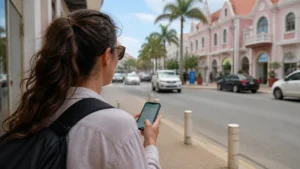
  • Directions and address searches between accommodation and outings
  • Messages to hosts and travel companions through internet apps
  • Reservations, booking updates and web searches during the day
  • Email and internet calls during a working stay
  • Photo or video uploads that can consume a small allowance quickly
  • Traffic from another device if hotspot sharing is permitted
Keep the limits in view

Before Relying on the Plan

  • Keep essential directions, booking references and contact details available offline.
  • Restrict large cloud backups and app updates to Wi-Fi when conserving mobile data.
  • Remember that a fixed allowance covers the whole validity period, not each day separately.
  • Check expiry even if you expect to finish with data unused.
  • Keep home-SIM call and SMS charges separate from your travel-data budget.
  • Recheck destination coverage if you add another island to the itinerary.
Choose for the actual visit

Three Different Aruba Data Decisions

A Stay with Regular Wi-Fi

Compare a small fixed allowance for messages and directions while you are out. A longer validity period does not require you to use more data.

Uploads or Internet Meetings

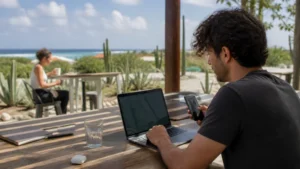
Compare a larger fixed total with Unlimited’s daily high-speed limit. Confirm any essential network or hotspot requirements before making work depend on the plan.

Island-Hopping or a Cruise Stop

Check each onshore destination separately. An Aruba purchase is not a promise of coverage on neighbouring islands or a connection at sea.

travel internet guides

Related Aruba Travel Internet Guides

FAQ

Aruba eSIM FAQs

Does your Aruba eSIM include a local number?
We provide mobile data, not an Aruban phone number, standard voice calls or carrier SMS. Internet calling and messaging apps can use the connection, including WhatsApp with your existing number.
What does Unlimited provide?
Our Unlimited options provide 1 GB of high-speed data where available per 24 hours, followed by reduced speeds until the next reset. Current durations range from 1 to 15 days. Unlimited is not unlimited high-speed data.
Which operator or network technology will I use?
Ask us for the current selected-plan details if your choice depends on a particular operator or 4G/5G technology. Do not infer these from another destination’s product. Access and performance depend on the plan, phone, location and local network conditions.
When should I install and enable the eSIM?
Install on reliable internet before departure using the delivered QR code or installation link. Follow the plan-specific timing for when to enable it and when validity begins. In Aruba, select it for mobile data and enable its data roaming as instructed.
Does the Aruba plan also include Curaçao or Bonaire?
Do not assume either destination is included. The nearby-product cards are separate options, not an extension of the Aruba allowance. Confirm coverage for each stop before buying for a multi-island journey.
Can I keep my home SIM and share data?
A compatible dual-SIM phone can retain your home line while using the eSIM for data, subject to your home operator’s call and SMS charges. Disable automatic data switching if you want to prevent fallback use. Confirm hotspot permission for the selected plan before tethering.
Prepare before departure

Choose Your Aruba Data Allowance for the Stay Ahead

Confirm your phone and any essential connection requirements, then compare the fixed allowance with the Unlimited daily high-speed limit. Choose validity for your dates and use the installation details we deliver to prepare the travel line.

Buy Aruba eSIM
Traveler using smartphone with global eSIM connection while traveling abroad
Scroll to Top